Show Post-Purchase Suggestions and Order Details in a Stylish Layout
Table of Contents
Can your thank you page do more than say “thanks”? What happens after a customer clicks that final “Place Order” button?. is it silence, a plain confirmation, or maybe a boring line that says, “Thank you.” And that’s it.
But should it end there? Not really. Because that exact moment right after checkout is when your customer is still paying attention. Still engaged and still interested. This is where a smart WooCommerce Thank You Page steps in. It doesn’t just confirm an order, it continues the conversation and builds a small experience. And honestly, most stores are wasting it without even realizing.
Think about it like this. Someone walks into a shop, buys something, and instead of a warm goodbye or suggestion, they’re just shown the door. Feels incomplete, right? That’s exactly what a default thank-you page does. No personality. No value. Just done.
Why the WooCommerce Thank You Page Matters More Than You Think
The WooCommerce thank you page is not just a technical step. It’s emotional. Subtle, but important. Customers just trusted you with their money. That’s big. And what do they get in return? Usually, a dull summary and nothing more. But here’s the thing. That moment right after purchase is powerful. The customer is:
- Happy (they bought something they wanted)
- Curious (what happens next?)
- Open (to more offers, surprisingly)
And if you don’t use that moment, it slips away. A better approach? Turn this page into something useful. Something that feels alive. You don’t need anything too fancy. Just:
- A bit of branding
- A bit of clarity
- And a bit of smart thinking
It’s not about overdesigning. It’s about intention.
Enhancing Customer Experience with a Stylish Layout
Let’s imagine two scenarios.
First one. A plain white page. Tiny text. Order number. Done.
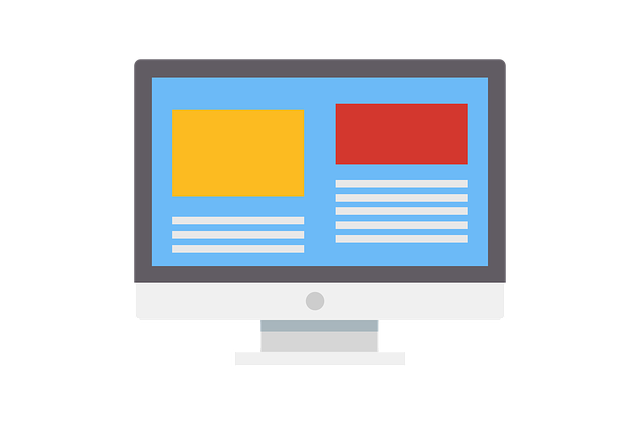
Second one. A clean layout. A banner. Organized sections. Easy to read. Feels like it belongs to your brand.
Which one would you remember? Exactly. A stylish layout doesn’t mean complicated design. It just means thoughtful structure. Something like:
- A bold header at the top
- A quick summary right below
- Clean sections for details
- Maybe a footer with extra info
And yeah, colors matter. Fonts matter too. Even spacing matters more than people think. When everything is aligned properly, it feels right. Sometimes even small touches work:
- A friendly “Thanks for your order!”
- A simple banner image
- A clear breakdown of what happens next
It’s not about perfection. It’s about effort. Customers notice that.
Displaying Order Details Clearly and Effectively
Now comes the main part. Order details. This is what the customer actually came for. And if this section is messy, everything else falls apart. Keep it simple. Keep it clear. You don’t need long paragraphs. Just structured info:
- Product name
- Quantity
- Price
- Total
- Payment method
That’s it. Tables work really well here. They make scanning easy. And honestly, people don’t read everything; they scan. Fast. Also, don’t hide important details. Show them upfront. Let customers quickly confirm: “Okay, yes. This is what I ordered.” That little moment of reassurance? It matters more than you think. And maybe add:
- Billing info
- Shipping details
Not too much. Just enough.
Turning Your Thank You Page into a Sales Opportunity
Now here’s where things get interesting. The sale just happened. You might think, “Okay, job done.” But no. Not really. This is actually a great time to suggest more products. Why?
Because the customer is already in buying mode. Their guard is down. They trust you now. So instead of ending the journey, you extend it. You can show:
- Related products
- Complementary items
- Small add-ons
Like:
Bought a shirt? Suggest pants.
Bought a phone? Suggest a case.
Simple logic, and it doesn’t feel pushy. Not here. Because it makes sense. But don’t overdo it. That’s where people go wrong. Keep it light:
- 3 to 5 products max
- Clean layout
- Clear buttons
That’s enough.
How to Display Post-Purchase Suggestions Effectively
Okay, so you’ve decided to show suggestions. Good. But how you show them matters a lot. Don’t just throw products randomly. Instead, think about presentation:
- Use a grid layout
- Or a small slider
- Add product images (important)
- Keep spacing clean
Also:
- Add a short heading like “You might also like”
- Use clear buttons (no confusion)
And maybe add a small incentive:
- “10% off if you add now”
- Or “Special offer for you”
Little things. They work. But again, balance is key.
Too many products = confusion
Too many offers = distrust
Keep it simple always.
Adding Social Sharing for Organic Growth
Here’s something people often ignore. Social sharing. Right after buying, some customers feel excited. Not all, but some. And if you give them an easy way to share, they might actually do it. Just add a few icons:
- Maybe WhatsApp
Nothing too loud. Just there. You can even add a line like: “share your purchase with friends” Feels natural. And sometimes, this brings in new customers. Free traffic. No ads. Not guaranteed, but worth it.
Customization Options That Make a Difference
Now let’s talk control. Because every store is different. And your thank-you page should reflect that. Good customization means flexibility. Like:
- Turn sections on or off
- Change colors
- Adjust fonts
- Upload your own banner
You don’t need coding for this. Most tools make it easy now. And that’s important. Because not everyone is a developer. Even small tweaks can change everything:
- Bigger headings
- Better spacing
- Softer colors
Suddenly, the page feels premium.
Improving Customer Trust and Satisfaction
Trust is fragile. Especially online. After payment, customers sometimes feel a bit anxious. Like:
“Did it go through?”
“Will I get my order?”
Your page should answer those questions instantly. Add reassurance:
- “Your order is confirmed”
- “We’ve received your payment”
Clear. Direct. Also include:
- Order summary
- Contact info
- Maybe a support link
These things calm the customer down. When people feel safe, they come back.
Using the Thank You Page for Customer Retention
This is where long-term thinking comes in. You don’t just want a sale. You want a returning customer. So, use this page smartly. You can:
- Offer a discount for next time
- Invite them to join a newsletter
- Suggest more products
Even a simple message works: “Come back and get 10% off your next order”. Not fancy. But effective. And sometimes, just reminding them that you exist is enough.
Mobile Optimization: A Must-Have Feature
Let’s be honest. Most users are on phones now. So, if your page looks bad on mobile, that’s a problem. Big one. Make sure:
- Text is readable
- Buttons are clickable
- Layout doesn’t break
No one likes zooming in and out. Keep it clean:
- Single column works best
- Bigger buttons
- Less clutter
Fast loading matters too. People don’t wait.
Measuring the Success of Your Thank You Page
You can’t improve what you don’t measure. So, track a few things:
- Do people click on suggested products?
- Do they buy again?
- Are they engaging with the page?
Simple metrics. But useful. If something’s not working, change it. Test different layouts. Different messages. Sometimes small changes bring big results.
At first glance, it’s just a thank-you page. Nothing special. But when you look closer, it’s actually a huge opportunity. A well-designed WooCommerce Thank You Page can:
Conclusion
- Improve user experience
- Build trust
- Increase sales
- Encourage repeat visits
And the best part? It doesn’t require massive effort. Just a bit of thought. A bit of creativity. And understanding what your customer needs in that moment. Because right after a purchase, they’re still listening. So, don’t just say “thank you.” Say something more. Do something more. It makes a difference even if it seems small.